
What Is a Facebook Group Content Calendar (And Why You Need One)
A facebook group content calendar is a planned schedule of posts, discussions, events, and promotions mapped out in advance for your Facebook group. Here’s a quick overview of what it covers:
Quick Answer: What a Facebook Group Content Calendar Includes
- What to post – content types like welcome posts, polls, tips, and promotions
- When to post – specific days and times based on when your members are active
- How often to post – a consistent cadence that keeps members engaged without overwhelming them
- Content pillars – 3-5 core topics that guide every post you create
- Tools to use – Google Sheets, Trello, Meta Business Suite, or Canva to plan and schedule
Running a Facebook group without a plan is exhausting. Most admins start strong, then burn out fast. Posts become sporadic. Engagement drops. Members go quiet.
The problem is not lack of effort. It’s lack of structure.
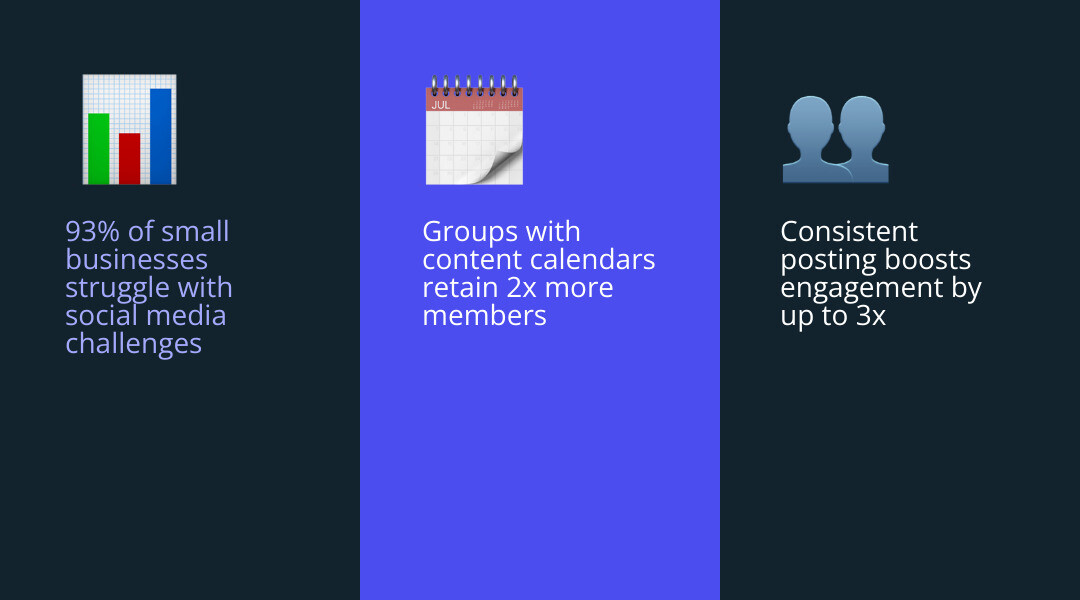
Research shows that 1 in 8 social media marketers at small businesses struggle to post content consistently. And 93% of small businesses face common social media challenges overall. A content calendar directly solves the biggest one: never knowing what to post next.
When you plan your group content in advance, posting becomes routine instead of a weekly scramble. You show up consistently, your members trust you more, and your group grows with far less stress.
This guide walks you through exactly how to build and use a Facebook group content calendar — from defining your content pillars to choosing the right tools and measuring what works.
Why Every Admin Needs a Strategic Posting Schedule
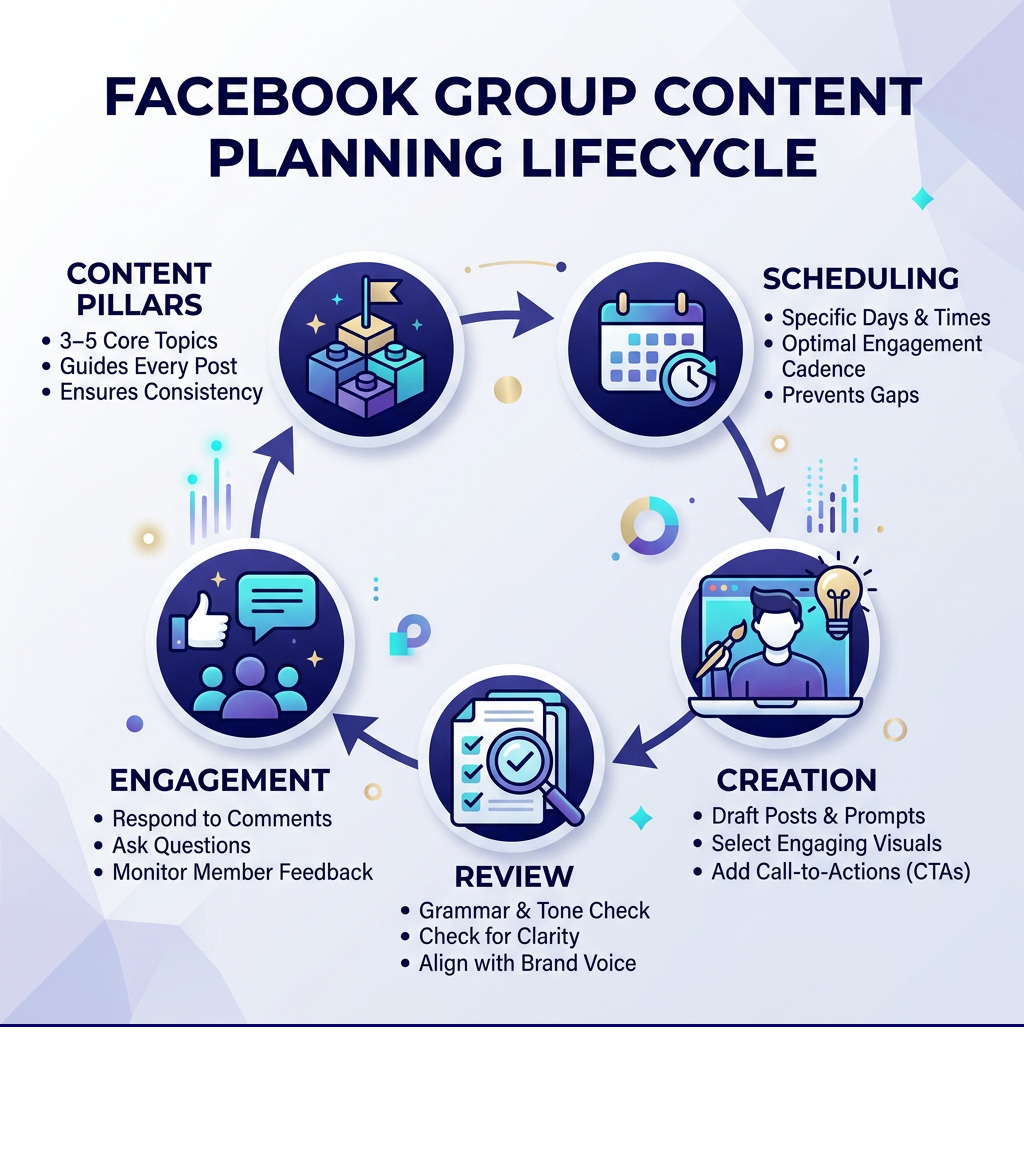
If a Facebook group is the digital heart of a brand, the content calendar is its pulse. Without a steady beat, the community eventually withers. Many admins fall into the trap of “reactive posting”—waking up and wondering, “What should I talk about today?” This leads to decision fatigue and, eventually, silence.
Beyond just staying organized, a strategic schedule is essential for several reasons:
- Time Management: Batching your work allows you to reclaim your life. Instead of spending 30 minutes every single day trying to find a clever image or write a caption, you can spend four hours once a month and be completely done.
- Consistency and Trust: Research indicates that one in eight social media marketers struggle with consistency. In a community setting, consistency builds trust. When members know that “Tip Tuesday” or “Feedback Friday” is coming, they develop a routine of checking the group.
- Strategic Growth: A calendar allows you to align your posts with business goals. If you have a product launch in October, your September content can focus on educational pillars that “warm up” the audience for that specific solution.
- Stability and Harmony: A well-planned group feels stable. It prevents the group from feeling like a constant sales pitch or a ghost town. By balancing different types of content, you maintain a healthy community atmosphere.
- Compliance: Managing a group means staying within Platform Terms. A calendar helps you review your content for quality and community standards before it goes live, ensuring you don’t accidentally trigger spam filters.
For those who find the technical side of scheduling daunting, professional community management services can help bridge the gap between having a group and having a thriving, profitable community.
How to Plan Your Facebook Group Content Calendar Step-by-Step
Planning doesn’t have to be a multi-day ordeal. In fact, you can often map out an entire month in a single focused afternoon. The key is to stop treating every post as an individual “event” and start seeing them as part of a larger ecosystem.

Step 1: Survey Your Community
Don’t guess what your members want—ask them. Use Facebook’s built-in poll feature or a Google Form to ask members about their biggest challenges, what they want to learn, and what time of day they usually browse the group. This data is the foundation of your facebook group content calendar.
Step 2: Establish Your Routines
Routines create a “vibe” for the group. If you decide to post three times a week, make those days consistent. For example, a fitness group might have “Meal Prep Monday,” “Workout Wednesday,” and “Success Saturday.”
Step 3: Map Your Content
Once you have your routines, start filling in the blanks. Use social media engagement strategies to ensure you aren’t just talking at people, but inviting them to talk with you.
| Feature | Weekly Planning | Monthly Planning |
|---|---|---|
| Flexibility | High – easy to pivot for news | Lower – requires more updates |
| Time Saved | Moderate – still requires weekly focus | High – “set it and forget it” |
| Strategic Alignment | Harder to see the big picture | Excellent for long-term goals |
| Stress Level | Can still feel like a deadline | Peace of mind for 30 days |
Step 4: Use a Template
Don’t start from a blank screen. You can Download a template here to give yourself a visual framework. A good template should include columns for the date, the content pillar, the post copy, the visual asset, and the call to action (CTA).
Identifying Your Discussion Pillars for a Facebook Group Content Calendar
Content pillars (or “buckets”) are the 3-5 broad topics your group is known for. If you try to talk about everything, you’ll end up known for nothing.
- Educational Pillars: These provide pure value. They answer the “how-to” questions your members have.
- Audience Pain Points: These posts acknowledge the struggles your members face, making them feel seen and understood.
- Value-Driven Themes: These are the “wins” or inspirations. For a business group, this might be a member spotlight or a case study.
- Connection Pillars: These are purely for fun or networking. “Where are you tuning in from today?” is a classic connection post.
By color-coding these pillars in your calendar, you can see at a glance if you’re being too “salesy” or if you haven’t posted a helpful tip in two weeks.
Mapping Out Your Monthly and Weekly Schedule
With your pillars identified, it’s time to plot them on the grid.
- Integrate Holidays: Start by marking major holidays and “niche” holidays (like National Coffee Day) that relate to your brand.
- Align with Campaigns: If you’re running a promotion, mark those dates first.
- Fill the Gaps: Use your pillars to fill the remaining days.
- Visual Descriptions: Don’t just write the text. Note what kind of image, Reel, or poll goes with it.
- Format Variety: Ensure you aren’t just posting text. Mix in videos, carousels, and live sessions to keep the feed visually interesting.
Best Content Types and Posting Frequency for High Engagement
Not all posts are created equal. In a Facebook group, the goal is “meaningful social interaction.” Facebook’s algorithm prioritizes posts that spark long comment threads and shares over those that just get a few likes.
- Welcome Posts: These are non-negotiable. Tagging new members once a week and asking them to introduce themselves is the easiest way to make people feel at home.
- Engagement Threads: These are simple questions that are easy to answer. “Coffee or Tea?” or “What’s one win you had this week?”
- Polls: These are engagement gold because they only require one click. They are also great for market research.
- Live Videos: Going Live allows members to see the person behind the brand. It builds massive authority and allows for real-time Q&A.
- User-Generated Content (UGC): Encourage members to share their own photos or stories. This takes the pressure off you to create everything and makes the group feel like a true community.
For brands that need a comprehensive approach to these formats, a facebook management package can handle the heavy lifting of creation and moderation.
Balancing Post Types in Your Facebook Group Content Calendar
A common mistake is treating a Facebook group like a billboard. If every post is an ad for your services, people will hit the “Mute” button.
Follow the 80/20 Rule:
- 80% Value: Educational tips, networking threads, entertainment, and community support.
- 20% Promotion: Direct offers, product spotlights, and sales announcements.
This balance ensures that when you do ask for a sale, your audience is actually listening because you’ve provided so much free value beforehand.
Determining the Ideal Posting Frequency
How often is too often? It depends on your audience.
- Working Professionals: Might prefer 2-3 high-quality posts per week, usually in the evenings or on weekends.
- Hobbyists or Students: Might engage with daily content during their lunch breaks.
Use your Group Insights to see when your members are most active. If your data shows a massive spike on Tuesday at 7:00 PM, that is exactly when your most important post of the week should go live. Consistency is more important than frequency; it is better to post three times a week every week than to post ten times in one week and then disappear for a month.
Essential Tools and Scheduling Strategies
You don’t need a massive budget to manage a facebook group content calendar. There are plenty of free and paid options that can help you stay on track.
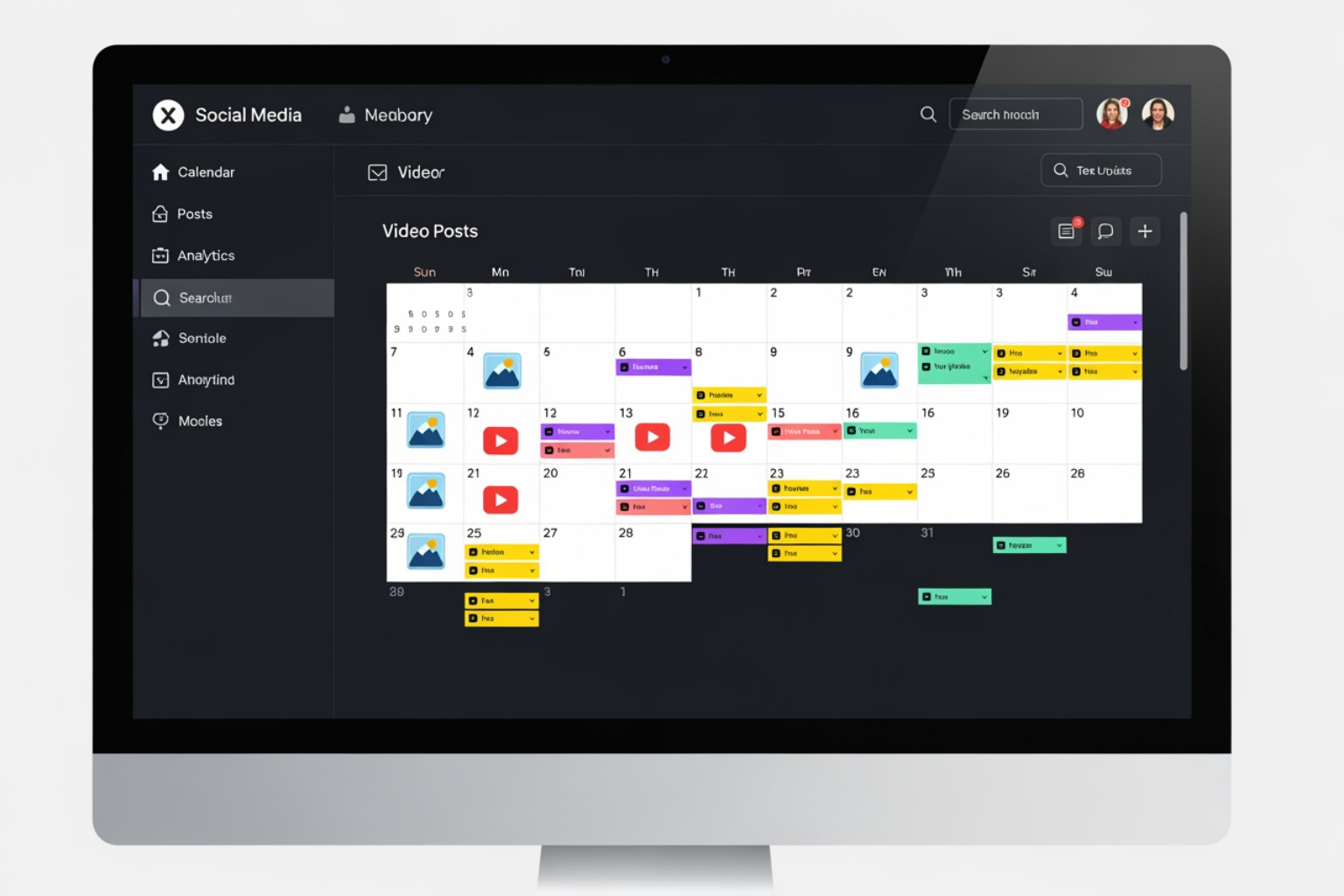
- Meta Business Suite: This is the “official” tool for scheduling. It allows you to see a calendar view of your scheduled posts and even suggests “Active Times” based on when your followers are online.
- Creator Studio: While Meta is moving many features to Business Suite, Creator Studio remains a powerful place to manage video content and track detailed insights.
- Google Workspace: A simple Google Sheet is often the best tool for brainstorming. It’s free, collaborative, and easy to use.
- Trello/Asana: If you’re a visual person, these project management tools allow you to move “cards” (posts) through different stages like “Idea,” “Drafted,” and “Scheduled.”
- Canva: Essential for creating the visuals. Canva Business even offers 1TB of storage per team member, making it easy to store all your group assets in one place.
When considering your budget, looking into monthly social media management pricing packages can help you decide if it’s more cost-effective to use DIY tools or hire an agency to manage the workflow.
A Note on Automation: Scheduling is a lifesaver, but don’t “set it and forget it.” If a major world event or a crisis occurs, you need to be able to pause your queue. Nothing looks worse than a cheerful promotional post going out in the middle of a tragedy.
Measuring Success and Avoiding Common Mistakes
A calendar is a living document. If you aren’t looking at the data, you’re just guessing.
Key Metrics to Track:
- Engagement Rate: Calculate this by taking your active members and dividing by your total members.
- Top Posts: Which posts got the most comments? Do more of those.
- Member Growth: Is your content attracting new people or just keeping the old ones?
- Algorithm Signals: Watch for posts that get “shared” outside the group (if it’s public) or that generate long-form conversations.
Common Mistakes to Avoid:
- Over-Scheduling: Don’t fill every hour. Leave room for spontaneous conversations.
- Ignoring Feedback: If a certain type of post consistently gets zero engagement, stop doing it—even if it’s on your calendar.
- Being Too Rigid: If a member asks a great question, pivot! Your calendar should serve the community, not the other way around.
- Ghosting: Scheduling posts is great, but you still need to show up in the comments. Automation handles the posting, but you handle the connection.
If you are also managing other platforms, like a video channel, integrating your group strategy with youtube channel management can create a powerful cross-platform ecosystem where your group members become your most loyal viewers.
Frequently Asked Questions about Facebook Group Content Calendars
How often should I post in a Facebook group to maintain engagement?
For most groups, 3 to 5 times per week is the “sweet spot.” This keeps you in the members’ notifications without clogging their feed. Quality always trumps quantity; one deeply helpful post is worth more than seven “Happy Monday” fluff posts.
Should I schedule posts in advance or post in real-time?
A hybrid approach is best. Schedule your “pillars” (the predictable stuff) in advance to ensure consistency. Then, show up in real-time for Q&As, to respond to comments, and to share “behind-the-scenes” moments that can’t be planned.
What are the best free tools for managing a group calendar?
Google Sheets and Trello are the best for planning. For scheduling, the native Meta Business Suite is free and incredibly effective. Canva’s free version is also more than enough for basic graphic design.
Conclusion
A facebook group content calendar is more than just a list of dates—it is a blueprint for a thriving community. By taking the time to plan your pillars, survey your members, and use the right tools, you transform your group from a time-sink into a powerful business asset.
The goal of any community is connection. Use your calendar to handle the “logistics” of being present so that you have more mental energy to actually talk to your members.
If you’re ready to scale your community but don’t have the time to manage the daily grind, MDM Marketing is here to help. With a 93% client retention rate and a focus on measurable growth, our team can help you turn your Facebook group into a lead-generation machine.
Contact us for a custom strategy today and let’s start building a community your audience will love.
About Jay McCullough
This author hasn't written a bio yet.