
Why Every Website Needs HTTPS: The Security Standard That Protects Your Business
An HTTPS secure website encrypts data between your visitors and your server, protecting sensitive information from attackers and building trust with users and search engines alike.
Quick Overview: What HTTPS Does for Your Website
- Encrypts all data transmitted between browsers and servers
- Protects user privacy by preventing eavesdropping on network traffic
- Verifies your identity through SSL/TLS certificates from trusted authorities
- Boosts SEO rankings as a confirmed Google ranking signal
- Enables modern features like progressive web apps and geolocation services
- Displays trust indicators like the padlock icon in browser address bars
As of March 2025, 99% of pages loaded in Chrome use HTTPS. That “S” at the end of “HTTPS” stands for “Secure,” and it signals that your website uses encryption to protect every piece of data that travels between your server and your visitors’ browsers.
Here’s what many business owners don’t realize: HTTPS isn’t just for e-commerce sites or login pages anymore. Even if your website doesn’t collect credit card numbers or passwords, unencrypted HTTP connections expose your visitors to real risks. Attackers can inject malware into your pages, modify your content, or track your visitors’ browsing habits—all without leaving a trace.
The modern web has moved beyond treating HTTPS as optional. Browsers now display “Not Secure” warnings on HTTP sites. Google uses HTTPS as a ranking factor. And critical web features like service workers and geolocation APIs simply won’t work without it.
Whether you run a small local business, an e-commerce store, or a content-focused website, securing your site with HTTPS protects both your visitors and your reputation.
Why an HTTPS Secure Website is Non-Negotiable in Today’s Web
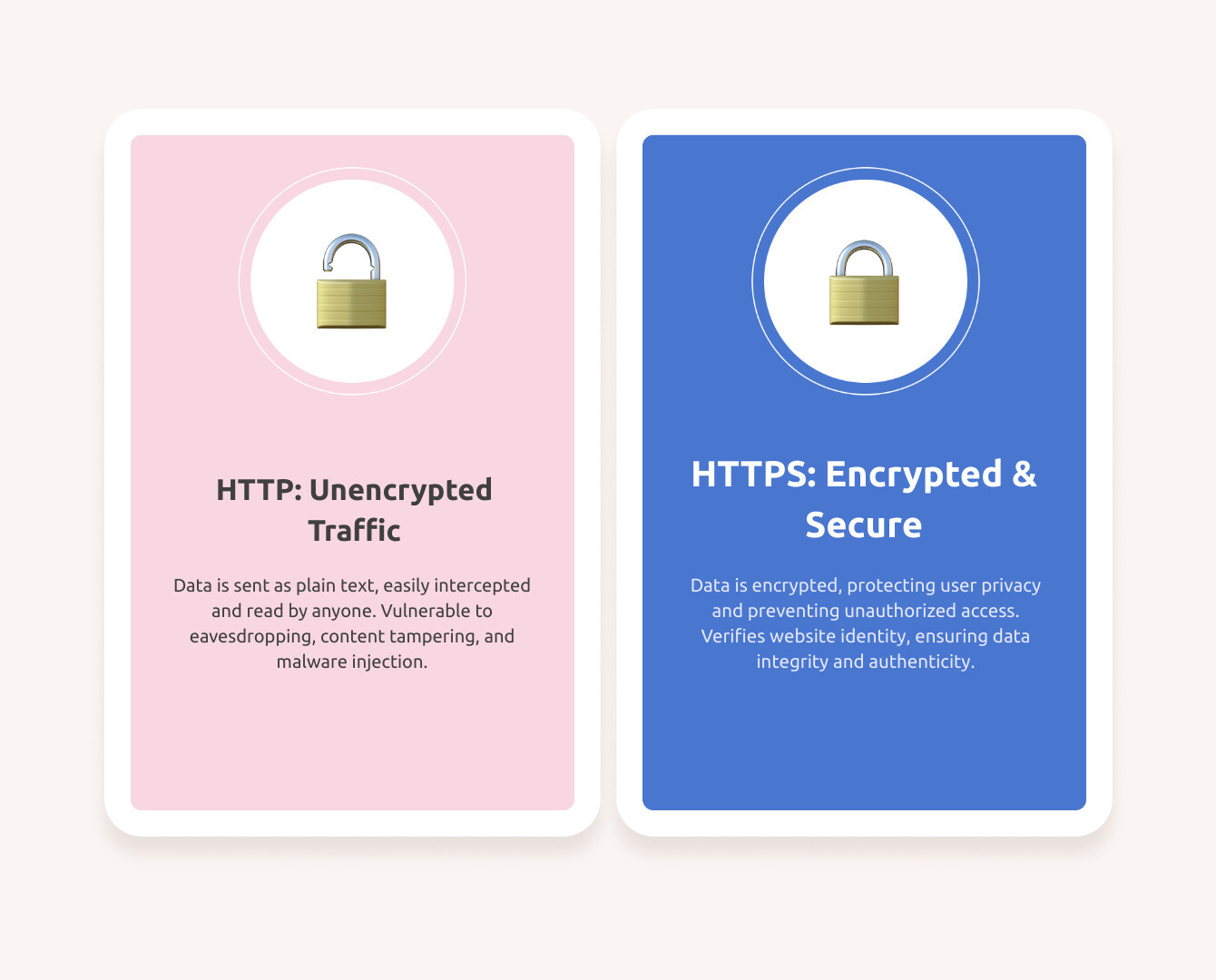
While HTTP (Hypertext Transfer Protocol) was once sufficient, the modern web requires a secure foundation for business transactions and personal data sharing. An HTTPS secure website is no longer a nice-to-have; it’s a fundamental requirement for any online presence.
The transition to HTTPS is critical because plain HTTP traffic is inherently vulnerable. Think of it as a postcard versus a sealed envelope: with HTTP, communications are open for anyone to read. HTTPS provides that sealed envelope, ensuring privacy and integrity.
The statistics confirm this shift: as of March 2025, 99% of pages loaded in Chrome use HTTPS. This widespread adoption isn’t just a trend; it’s the standard, reflecting a universal understanding that security, privacy, and credibility are inextricably linked to HTTPS.
Let’s dig into why this “S” has become so indispensable for every website.
| Feature | Plain HTTP | HTTPS Secure Website |
|---|---|---|
| Data Privacy | Data transmitted in plain text, easily intercepted and read. | Data is encrypted, making it unreadable to eavesdroppers. |
| Data Integrity | Content can be altered during transit without detection. | Content is protected from tampering; any modification is detected. |
| Authentication | No verification of server identity, vulnerable to impersonation. | Verifies server identity, ensuring connection to the legitimate site. |
| User Trust | Browsers display “Not Secure” warnings, eroding user confidence. | Browsers display a padlock icon, signaling a secure and trusted site. |
| SEO Impact | Can negatively impact search rankings. | Acts as a positive ranking signal, improving visibility. |
| Web Features | Blocks access to many modern browser features and APIs. | Enables access to powerful new web platform features. |
For a deeper dive into the foundational reasons behind this shift, exploring why HTTPS matters is highly recommended. You can find more information at Why HTTPS matters.
Protecting Website Integrity and Preventing Tampering
One of the most significant dangers of plain HTTP is its susceptibility to “man-in-the-middle” (MiTM) attacks. In such an attack, an intruder intercepts the communication between a user’s browser and your website. Because the connection is unencrypted, the intruder can read and, more alarmingly, modify the data in transit.
For instance, if a user in Canton, OH, accesses a local business’s HTTP site, an attacker on the same Wi-Fi network could inject unwanted ads or malicious scripts. These scripts can steal information, redirect users to phishing sites, or embed malware. This can occur on a user’s machine, an unsecured Wi-Fi hotspot, or even through a compromised Internet Service Provider (ISP).
An HTTPS secure website provides data integrity. This means that if data is altered during transmission, both the browser and server will detect the tampering. This protection covers all resources—images, scripts, and HTML—ensuring that what your website sends is exactly what the user receives.

Safeguarding User Privacy and Confidentiality
Beyond content integrity, HTTPS is crucial for safeguarding user privacy. When a website uses plain HTTP, all traffic—including URLs, headers, and page content—is transmitted in plain text. This makes it vulnerable to eavesdropping by third parties.
This isn’t just about protecting passwords or credit card numbers. Even seemingly innocuous browsing can reveal sensitive information. For example, browsing activity on unprotected sites could be aggregated to de-anonymize a user’s identity, inadvertently disclosing private information like health concerns. The act of simply visiting a website can be sensitive.
HTTPS encrypts all data exchanged between the user’s browser and the server, making it unreadable to anyone else. This prevents eavesdropping and ensures users’ online activities remain confidential. The risks of de-anonymization are real, where browsing activities from unprotected sites can be used to reveal identities. To understand more about this threat, you can read about De-anonymization risks. An HTTPS secure website ensures every interaction contributes to a more private and secure online experience.
The SEO Impact of an HTTPS Secure Website
For any business owner, including those in Canton, OH, search engine optimization (SEO) is vital for online visibility. Google has confirmed that HTTPS is a ranking signal, giving secure sites a boost in search results. This directly impacts your website’s performance.
While an improper switch can temporarily affect rankings, a correctly implemented HTTPS migration improves them. Google prioritizes secure sites to encourage a safer web for all users. Beyond direct ranking benefits, an HTTPS secure website builds immediate user trust. The padlock icon signals safety, which can lead to lower bounce rates, higher engagement, and better conversion rates. In contrast, a “Not Secure” warning often deters visitors.
For more details from Google, refer to their announcement: HTTPS actually improves them. Implementing HTTPS is a foundational step in any robust SEO strategy. If you’re looking to improve your website’s visibility and user trust, understanding these nuances is crucial. For further assistance in optimizing your online presence, consider how you can Streamline Your SEO Efforts Using Outsourced Services.
Opening up Modern Web Features
The modern web is dynamic and interactive, but many of its most innovative features and APIs are exclusively available to HTTPS secure websites. This is a deliberate security measure, as features that interact with a user’s device require a secure context to protect privacy and prevent abuse.
For example, Progressive Web Apps (PWAs), which offer app-like experiences with offline functionality, require HTTPS. The same is true for powerful browser APIs like getUserMedia() (for camera/mic access) and the Geolocation API (for user location), which demand explicit permission over a secure connection.
Service Workers, a cornerstone of modern web development that enables offline functionality, also strictly require HTTPS.
By adopting HTTPS, you are not just securing your site; you are future-proofing it. You open up a world of possibilities for improved user experience and richer functionality. Without HTTPS, your website will be left behind as the web evolves, unable to leverage the technologies users expect.
The Core of HTTPS: Understanding SSL/TLS Certificates
At the heart of every HTTPS secure website lies an SSL/TLS certificate. This seemingly small digital file is the cornerstone of web security, responsible for establishing trust, enabling encryption, and verifying the identity of your website. Without it, the “S” in HTTPS wouldn’t exist.

When your browser connects to an HTTPS website, it immediately requests the site’s SSL/TLS certificate. This certificate acts like a digital passport for your website, proving its legitimacy and providing the necessary information for a secure connection. This process is part of a larger system known as Public Key Infrastructure (PKI), which manages digital certificates and public-key encryption. The certificate contains crucial information that allows your browser to authenticate the server and initiate an encrypted “handshake.”
What is an SSL/TLS Certificate?
An SSL/TLS certificate is a digital certificate that authenticates the identity of a website and encrypts information sent to and from the server. Historically, these were called SSL (Secure Sockets Layer) certificates, but the underlying technology has evolved to TLS (Transport Layer Security), which is the more secure and current protocol. However, the term “SSL certificate” is still widely used.
These certificates affirm that your web address is secure, letting visitors know it’s a safe place to enter sensitive information. Each certificate contains several key pieces of information:
- Domain Name: The website’s domain it was issued for.
- Issued To: The organization or individual the certificate belongs to.
- Issuing Certificate Authority (CA): The entity that issued the certificate.
- Digital Signature: A cryptographic signature from the CA verifying its authenticity.
- Public Key: A cryptographic key used to encrypt data for the server.
- Associated Subdomains: Any subdomains covered by the certificate.
- Issue and Expiration Dates: The period of validity for the certificate.
How Certificates Establish Trust and Authenticity
The entire system of web security hinges on trust, and Certificate Authorities (CAs) are the trusted third parties at the center of this. When you obtain an SSL/TLS certificate, a CA verifies your identity (or your organization’s) and digitally signs your certificate. This signature is critical because web browsers come pre-loaded with a list of trusted CAs.
When your browser encounters an HTTPS secure website, it performs a quick check:
- Is the certificate valid? Has it expired? Is it revoked?
- Is the certificate issued by a trusted CA? Is the CA on the browser’s list?
- Does the certificate match the website’s domain? Is this certificate actually for the site I’m visiting?
If all these checks pass, the browser displays the familiar padlock icon, signaling a secure and authenticated connection. This “chain of trust” reassures users that they are communicating with the legitimate website and that their data is encrypted. If any check fails, the browser will display a prominent “Not Secure” warning or an error message, immediately alerting the user to a potential security risk.
Choosing the Right Certificate for Your HTTPS Secure Website
Not all SSL/TLS certificates are created equal, and choosing the right one depends on your website’s needs and the level of validation you require. The good news is that there’s a certificate type for almost every scenario:
- Single Domain Certificate: Secures one specific domain (e.g.,
yourwebsite.com). - Multi-Domain (SAN) Certificate: Secures multiple distinct domains or subdomains with a single certificate (e.g.,
yourwebsite.com,blog.yourwebsite.com,anothersite.net). - Wildcard Certificate: Secures a single domain and an unlimited number of its subdomains (e.g.,
*.yourwebsite.comwould secureblog.yourwebsite.com,shop.yourwebsite.com, etc.).
Beyond the scope of domains, certificates also come with different validation levels:
- Domain Validation (DV): The quickest and most common type, verifying only that you control the domain. Ideal for blogs, informational sites, and small businesses.
- Organization Validation (OV): Requires validation of the organization’s existence and domain ownership, offering a higher level of trust.
- Extended Validation (EV): The most rigorous validation, requiring a thorough background check of the organization. Historically, these showed a green address bar, though browser UIs have evolved. They offer the highest level of trust.
While Domain Validated certificates are sometimes questioned, they offer the same robust cryptography as Extended Validation certificates. The key is to choose a competent Certificate Authority and maintain control over your DNS records.
Understanding which type of certificate your website needs is a crucial step in your journey to becoming an HTTPS secure website.
Your Step-by-Step Guide to Implementing HTTPS
Transitioning your website to HTTPS might sound daunting, but with the right steps and tools, it’s a manageable process. The goal is to ensure all traffic to your site is encrypted and that search engines and users are seamlessly redirected to your new, secure domain.
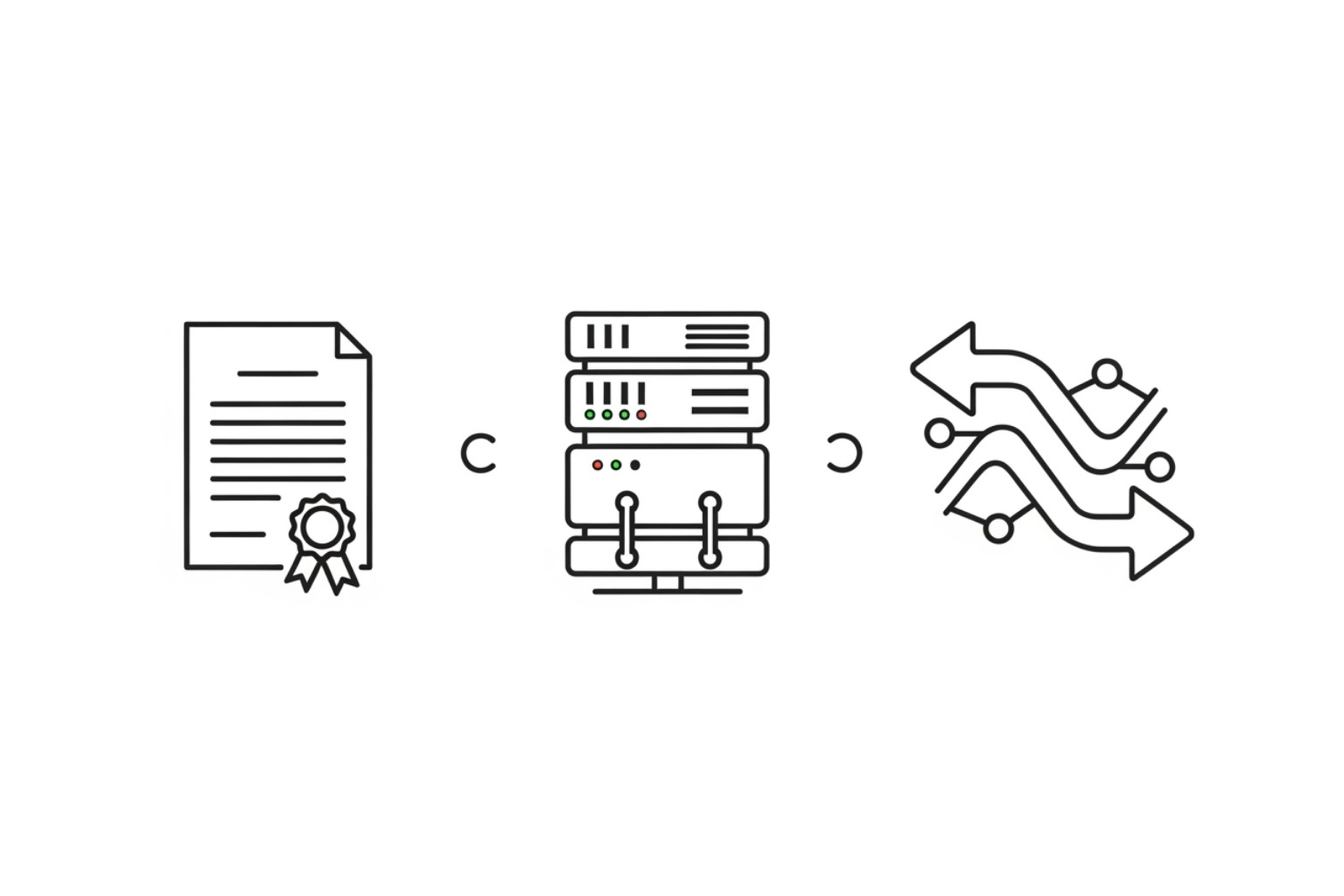
This journey involves three primary steps: obtaining your certificate, installing it on your server, and then updating your website to direct all traffic securely. Taking these steps not only fortifies your online presence but also aligns with modern web marketing strategies. For more insights into how these technical implementations fit into a broader digital strategy, explore Mastering Effective Web Marketing Strategies for Modern Needs.
Step 1: Obtain Your SSL/TLS Certificate
The first step is to acquire an SSL/TLS certificate for your domain. Fortunately, securing a certificate is now easier and more accessible than ever.
- Free Certificates: The most popular option for free certificates is Let’s Encrypt. This non-profit Certificate Authority provides free TLS certificates, making it incredibly easy for websites to enable HTTPS encryption. Over 600 million websites are protected by Let’s Encrypt.
- Hosting Providers: Many web hosting providers offer free SSL certificates as part of their hosting packages. It’s always worth checking with your current provider.
- Commercial CAs: You can also purchase certificates from commercial Certificate Authorities. These often come with additional features like warranty, customer support, and higher validation levels.
To obtain any certificate, you typically need to generate a Certificate Signing Request (CSR) from your server. This CSR contains information about your domain and organization, which the CA uses to create your unique certificate.
Step 2: Install the Certificate and Configure Your Server
Once you have your SSL/TLS certificate files, the next step is to install them on your web server and configure your server software to use HTTPS. This can vary depending on your server (e.g., Apache, NGINX, IIS).
- Server Configuration: Your server software needs to be set up to use a secure configuration that enforces HTTPS with safe TLS settings. Tools like the Mozilla SSL Configuration Generator can help you generate robust configurations custom to your server.
- HTTP Strict Transport Security (HSTS): Implementing HSTS is a critical security measure. HSTS is an HTTP header that tells browsers to only connect to your site over HTTPS, even if a user types
http://. This protects against downgrade attacks and ensures that once a browser has visited your site securely, it will always attempt to do so. You can even submit your site to the HSTS preload list, which tells browsers to always connect to your site over HTTPS, even on the very first visit. - TLS Configuration Best Practices: Ensure your server uses modern TLS versions (like TLS 1.2 or 1.3) and strong cipher suites. Older TLS versions (like SSL 2.0/3.0 or TLS 1.0/1.1) have known vulnerabilities and should be disabled. More detailed guidance can be found in the Transport Layer Security (TLS) configuration documentation.
Step 3: Update Your Site and Redirect All Traffic
After installing your certificate and configuring your server, the final step is to ensure all traffic is directed to the HTTPS version of your site and that your content is loaded securely.
- 301 Redirects: Implement 301 redirects from all HTTP pages to their HTTPS equivalents. This is crucial for SEO, as it tells search engines that your content has permanently moved to a new, secure location. Most content management systems (CMS) offer built-in tools or plugins for managing 301 redirects.
- Update Internal Links: Review your website’s content and update all internal links to use HTTPS URLs. This prevents mixed content issues (where an HTTPS page loads insecure HTTP resources).
- Mixed Content Issues: Actively scan your site for any remaining HTTP assets (images, scripts, stylesheets). These will cause browsers to display mixed content warnings, which can undermine user trust. Update these assets to use HTTPS.
- Update Sitemaps: Generate and submit new sitemaps to Google Search Console and Bing Webmaster Tools, featuring your HTTPS URLs.
- Google Search Console: Inform Google of your site’s move to HTTPS through Google Search Console. This helps Google re-index your site quickly.
- CDN Configuration: If you use a Content Delivery Network (CDN), remember to update its SSL settings to ensure it serves content over HTTPS.
By carefully following these steps, you can successfully transition to an HTTPS secure website, providing a safer environment for your users and a stronger foundation for your online presence.
Debunking Common Myths and Arguments Against HTTPS
Despite the overwhelming evidence and industry push towards HTTPS, some misconceptions and arguments against its adoption still circulate. It’s time to address these head-on with a clear, assertive tone, grounded in the reality of the modern web. The message is simple: YES Your site needs HTTPS..
“My site doesn’t handle sensitive data.”
This is perhaps the most common argument against HTTPS, and it’s fundamentally flawed. The idea that “there’s nothing sensitive on my site anyway” is a dangerous assumption.
- Content Integrity Matters: Even if your site is just a blog or an informational page, an unencrypted connection leaves it vulnerable to content modification. Intruders can inject unwanted ads, malicious scripts, or even deface your website. This degrades user experience and can severely damage your reputation.
- Privacy Beyond Forms: HTTPS protects more than just form data. It keeps URLs, headers, and the contents of all transferred pages confidential. As discussed earlier, aggregate browsing activities on HTTP sites can be used to de-anonymize users, revealing their interests or even sensitive personal details.
- User Expectations: In today’s digital landscape, users expect a secure connection by default. A “Not Secure” warning, even on a seemingly innocuous page, immediately raises red flags and erodes trust.
The reality is that your site is a liability if it’s not HTTPS. Even if you believe your site is hosted safely, data travels through numerous intermediaries (ISPs, Wi-Fi hotspots) where tampering can occur. For a deeper understanding of why this argument doesn’t hold up, read Why All Websites Should Use HTTPS.
“HTTPS is too expensive and difficult to set up.”
This argument is largely outdated, especially with the advent of free certificates and automated tools.
- Free Certificates are Abundant: Thanks to organizations like Let’s Encrypt, obtaining an SSL/TLS certificate is completely free. Let’s Encrypt has secured over 600 million websites, demonstrating its accessibility and reliability.
- Automation Makes it Easy: Many modern web servers and hosting providers have made HTTPS setup incredibly simple. For example, the Caddy web server automatically enables HTTPS for all your sites, including certificate renewals, with virtually no configuration required. For other setups, clients like Certbot (from the EFF) automate the process of obtaining and renewing Let’s Encrypt certificates. Many hosting providers also offer free SSL certificates with their plans.
- Minimal Cost, Maximum Benefit: While some premium certificates exist, the core security benefits are available at no cost. The minimal effort involved in setting up HTTPS now far outweighs the potential costs of security breaches, lost trust, or SEO penalties later.
The idea that HTTPS is an expensive and difficult hurdle is a relic of the past.
“HTTPS will slow down my site and hurt my SEO.”
This is another common misconception that modern technology has thoroughly debunked.
- Performance Improvements: Historically, HTTPS might have introduced a slight overhead due to the encryption process. However, modern HTTPS implementations, especially when combined with protocols like HTTP/2, are often faster than HTTP. HTTP/2, which requires HTTPS, allows for multiplexing (sending multiple requests over a single connection) and server push, significantly improving loading times. In fact, many sites load faster over HTTPS than HTTP due to HTTP/2. If you’re wondering, No it’s not. slow.
- SEO Boost, Not Harm: As established, Google uses HTTPS as a positive ranking signal. While an improper migration can temporarily impact SEO, a well-executed switch to HTTPS will ultimately improve your search rankings. Any temporary fluctuations are typically short-lived and outweighed by the long-term benefits.
- Modern Web Standard: Browsers are increasingly optimized for HTTPS. The modern web practically enforces it, with many browser features requiring a secure context. Sticking with HTTP means missing out on performance improvements and essential functionalities.
The notion that HTTPS hinders performance or SEO is simply inaccurate in today’s web environment. It’s an investment that pays dividends in speed, security, and search visibility.
Conclusion: Secure Your Digital Future
In the rapidly evolving digital landscape, an HTTPS secure website is no longer an optional upgrade; it’s a fundamental requirement for trust, security, and functionality. We’ve explored how HTTPS protects your website’s integrity from tampering, safeguards user privacy from eavesdropping and de-anonymization, and acts as a crucial positive signal for your SEO efforts. Moreover, it open ups access to the powerful, modern web features that drive engaging and innovative user experiences.
The transition to HTTPS is a clear signal to your audience, search engines, and the broader internet community that you prioritize security and professionalism. It builds confidence, fosters loyalty, and future-proofs your online presence. Whether you’re running a thriving e-commerce store or a local business in Canton, OH, securing your website is an investment in your digital future.
If the technical intricacies of obtaining certificates, configuring servers, or implementing redirects seem daunting, expert assistance is readily available. Professional agencies like MDM Marketing specialize in navigating these complexities, ensuring a seamless and secure transition for your website. Their expertise in data-driven strategies can help you leverage the full benefits of an HTTPS secure website for improved visibility, authority, and conversion performance.
Don’t let outdated myths or perceived difficulties deter you from embracing this essential web standard. The future is encrypted, and your website should be too.
To ensure your website is not only secure but also optimized for maximum online impact, consider seeking professional guidance. You can Get expert help with your SEO strategy to integrate security best practices with your overall digital marketing goals. For a personalized consultation and to discuss how MDM Marketing can help secure and grow your online presence, please Contact Us today.
About Jay McCullough
This author hasn't written a bio yet.