
Why Google Technical SEO Is the Foundation of Search Visibility
Google technical SEO is the practice of making sure Google can find, crawl, render, and index your website — so your pages can actually appear in search results.
Quick answer: what does Google technical SEO cover?
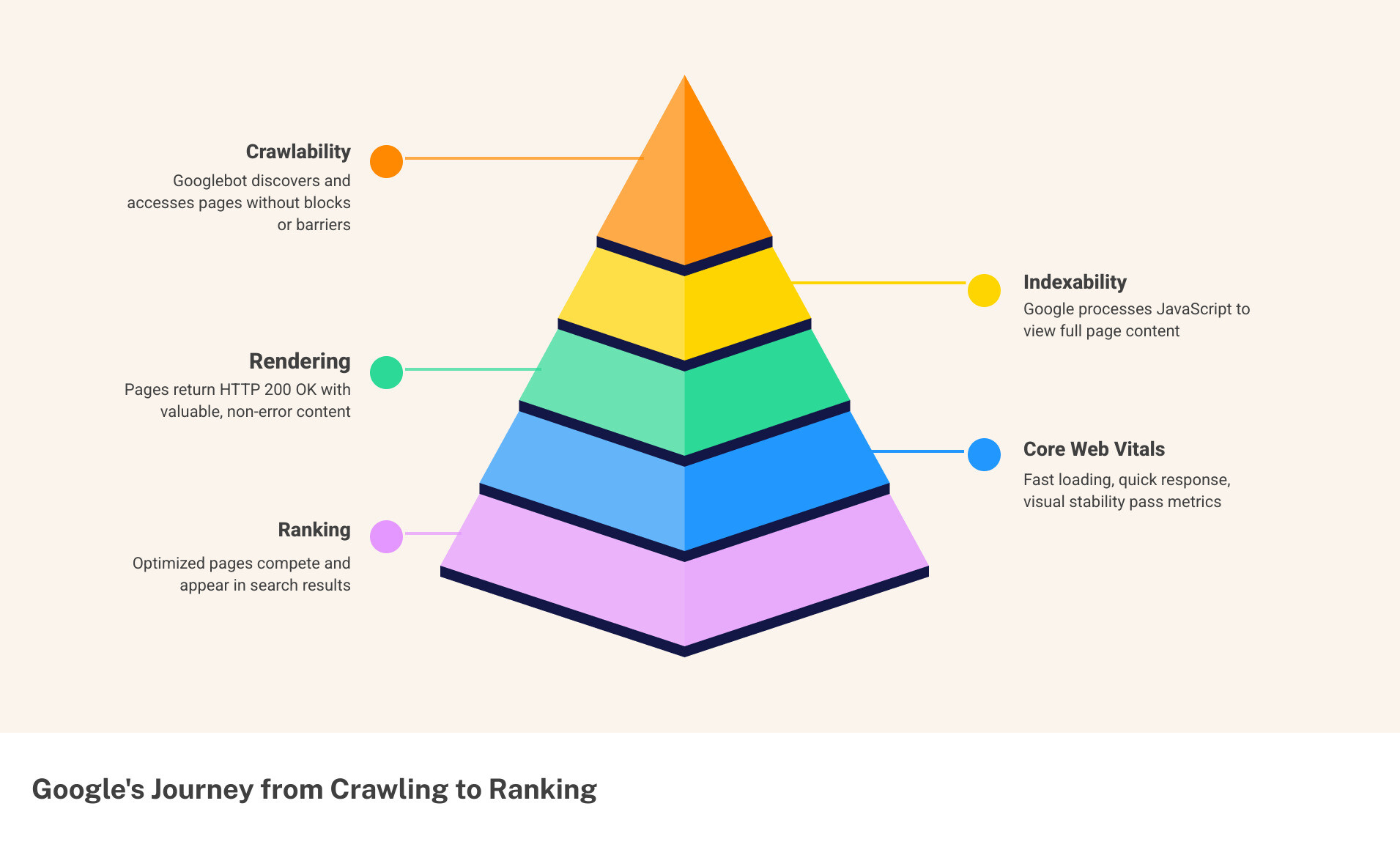
- Crawlability — Can Googlebot access your pages without being blocked?
- Indexability — Do your pages return HTTP 200 OK with content Google can store?
- Rendering — Can Google process your JavaScript and see your full content?
- Core Web Vitals — Do your pages load fast, respond quickly, and stay visually stable?
- Structured data — Does your markup help Google (and AI) understand what your content means?
- Site architecture — Is your site organized so crawlers and users can navigate it easily?
Think of it this way: you could publish the best content in your industry. But if Google’s crawler hits a blocked robots.txt, a broken status code, or a JavaScript wall — that content may never rank.
According to Google’s own documentation, a page must meet three minimum requirements to be indexed: Googlebot must not be blocked, the page must not return an error, and the content must be indexable. Most sites fail at least one of these — often without knowing it.
For small and mid-sized businesses, e-commerce brands, and B2B teams investing in SEO, technical issues are often the silent reason rankings stall. No amount of link building or great writing fixes a site that Google can’t properly read.
This guide walks you through every layer of Google technical SEO — from the basics of crawling and indexing to Core Web Vitals, structured data, rendering engineering, and AI-readiness.
The Core Pillars of Google Technical SEO
To master google technical seo, one must understand that Google operates in three distinct stages: crawling, indexing, and serving. If any of these stages are interrupted by technical friction, the entire strategy collapses.
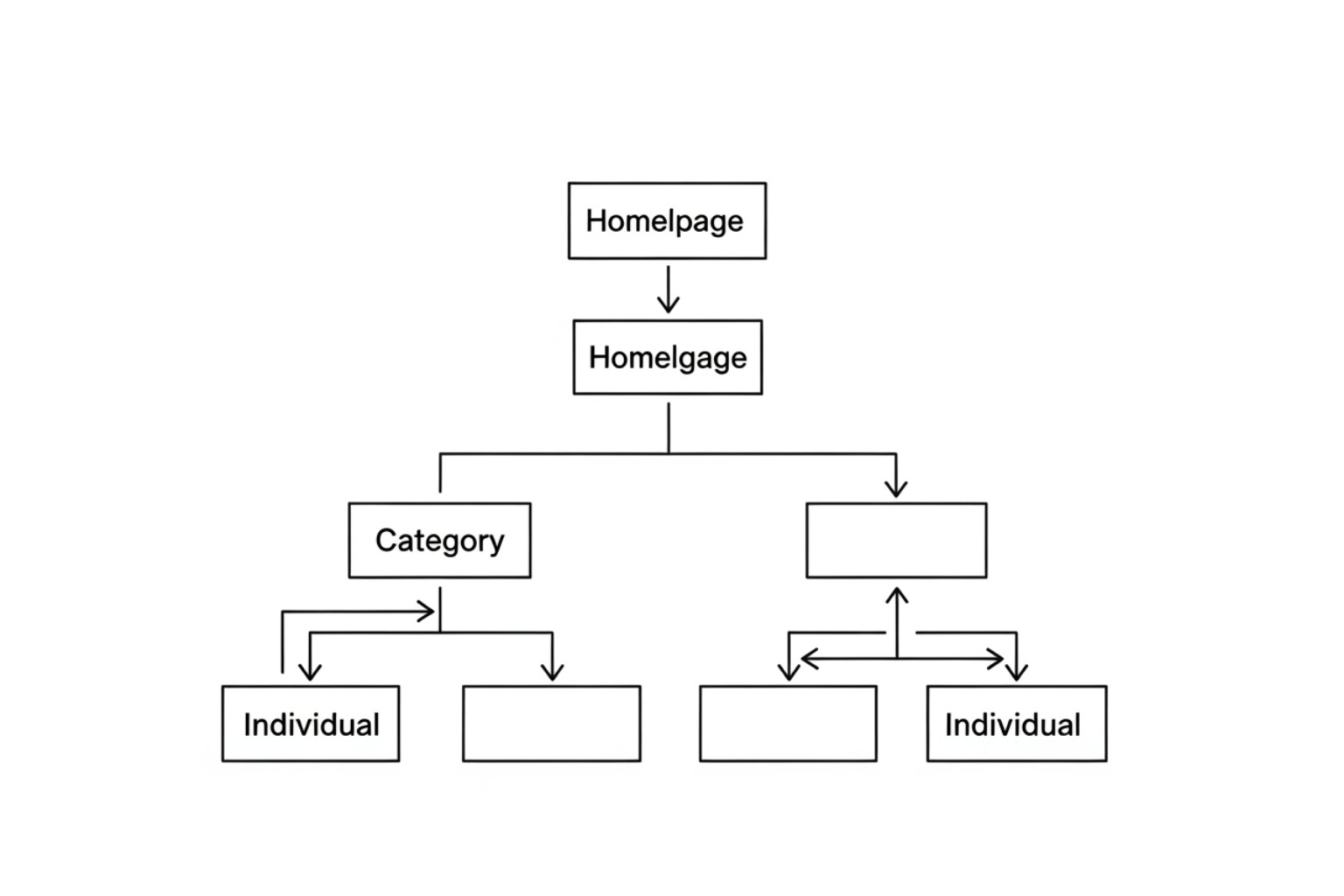
Crawlability refers to the search engine’s ability to discover your pages. If your site architecture is a maze of broken links and “orphan pages” (pages with no internal links pointing to them), Googlebot will struggle to find your content. Indexability is what happens after discovery; it is Google’s decision to store that page in its massive database. Finally, site architecture acts as the blueprint. A logical, shallow hierarchy—where most pages are within three clicks of the homepage—ensures that “link equity” flows efficiently throughout the site.
To monitor these pillars, experts rely on the Search Console Documentation to understand how Google views their domain. While Google provides free tools, many growing businesses in Canton, OH, utilize professional SEO tools to simulate crawls and catch errors before they impact revenue.
Meeting Google’s Minimum Indexing Requirements
Google is quite literal about its requirements. For a page to even be considered for the index, it must serve an HTTP 200 OK status code. If a server returns a 404 (Not Found) or a 5xx (Server Error), Googlebot will generally drop it from the index or skip it entirely.
Furthermore, the page must be publicly accessible. If content is hidden behind a login wall or blocked in the robots.txt file, it’s invisible to the search engine. You can verify this using the URL Inspection tool within Google Search Console. Security is also a non-negotiable requirement in the modern era; Google has rewarded https-secure-website/ implementations with a ranking boost since 2014.
Managing Crawl Budget and Index Pruning
For larger sites, especially e-commerce platforms, “crawl budget” becomes a major factor. This is the number of URLs Googlebot can and wants to crawl on your site within a specific timeframe. Common “budget killers” include faceted navigation (where filters like “size” or “color” create millions of unique URLs) and messy URL parameters.
If Google spends its time crawling low-value, duplicate filter pages, it might miss your high-priority product launches. This leads to “index bloat,” where a site has thousands of indexed pages that provide no value. Strategic “index pruning”—removing or noindexing thin content—can actually improve your overall rankings. Many brands now turn to automated-seo-optimization/ workflows to manage these parameters at scale. For deep dives into efficiency, refer to Google’s guide on managing crawl budget.
Rendering Engineering and the December 2025 Update
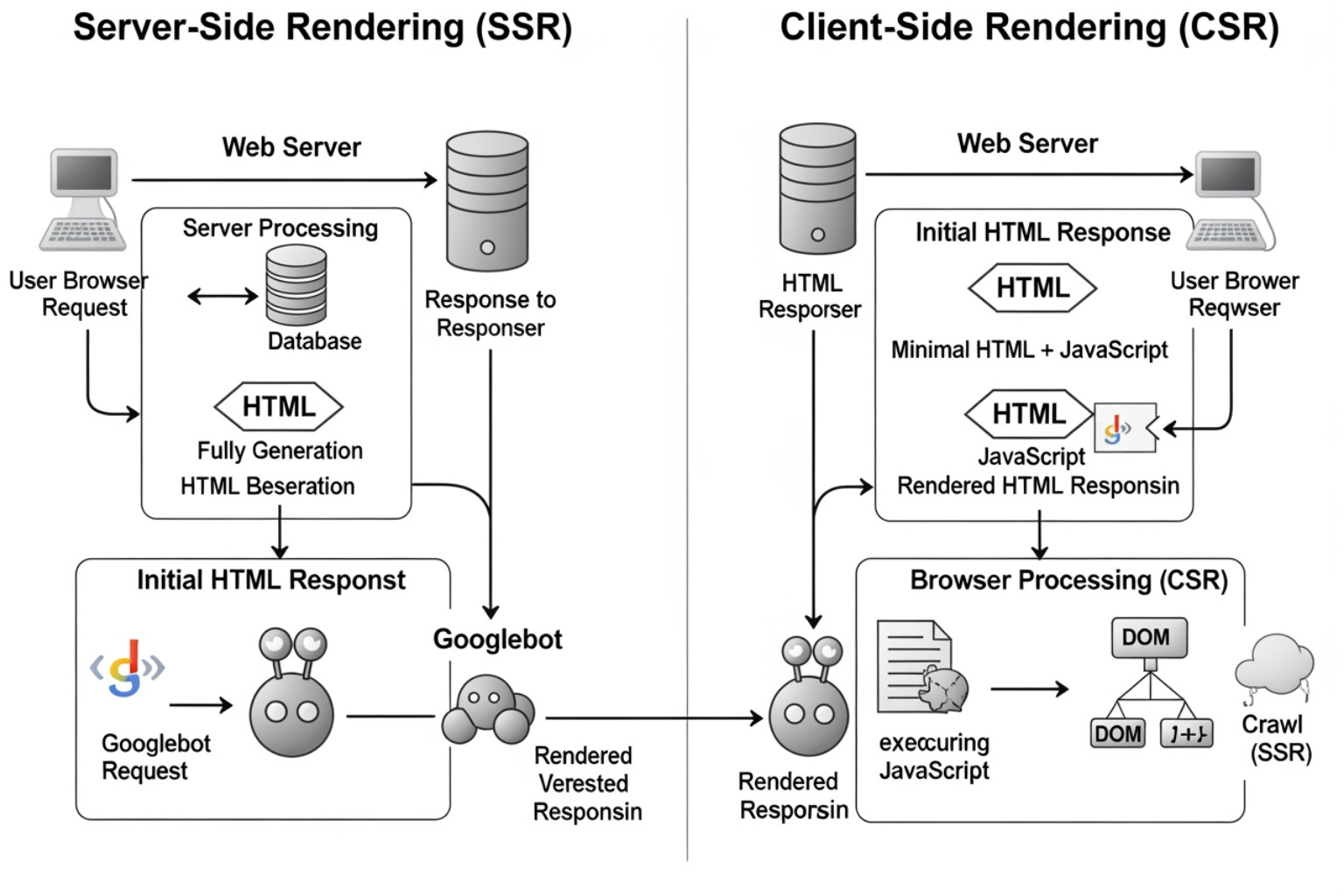
The way Google “sees” a website has fundamentally changed. In the past, Google only read the static HTML of a page. Today, Googlebot uses a modern version of Chrome to render JavaScript. However, rendering is expensive and time-consuming for Google.
There are three main ways to deliver content:
- Client-Side Rendering (CSR): The browser (or Googlebot) does all the heavy lifting to turn JavaScript into a visible page. This is risky for SEO because if the script fails or times out, Google sees a blank page.
- Server-Side Rendering (SSR): The server creates the full HTML page before sending it to the user. This is much more reliable for google technical seo.
- Hydration: A middle ground where a static page is sent first, and JavaScript “kicks in” later to make it interactive.
A massive shift occurred with The Dec 2025 Rendering Shift. Google clarified that pages returning non-200 status codes (like a 404 disguised as a 200) may be excluded from the rendering queue entirely.
Why ISR is the New Gold Standard for Google Technical SEO
For 2026 and beyond, Incremental Static Regeneration (ISR) is the preferred architecture, particularly for e-commerce. ISR allows developers to serve static, lightning-fast HTML while rebuilding specific pages in the background when data (like price or stock) changes.
This technology provides the speed of a static site with the freshness of dynamic ones. Speed is a confirmed ranking factor, and businesses looking to improve-page-speed/ often find that switching to an ISR-supported framework like Next.js yields the best results.
Handling JavaScript and Non-200 Status Codes
JavaScript SEO is where many modern websites break. If your site relies on “soft 404s”—pages that tell the user “Item Not Found” but still send a 200 OK status to Google—you are confusing the crawler and wasting its resources.
Googlebot has a limited time to render a page. If your JavaScript takes too long to execute, the bot may move on before your content is even visible. You can learn more about rendering timeouts to ensure your scripts are optimized. Relying on the limitations-of-automated-seo-content-optimization-tools/ can sometimes mask these deep-seated rendering issues, making manual audits essential.
Optimizing Core Web Vitals for Modern Search
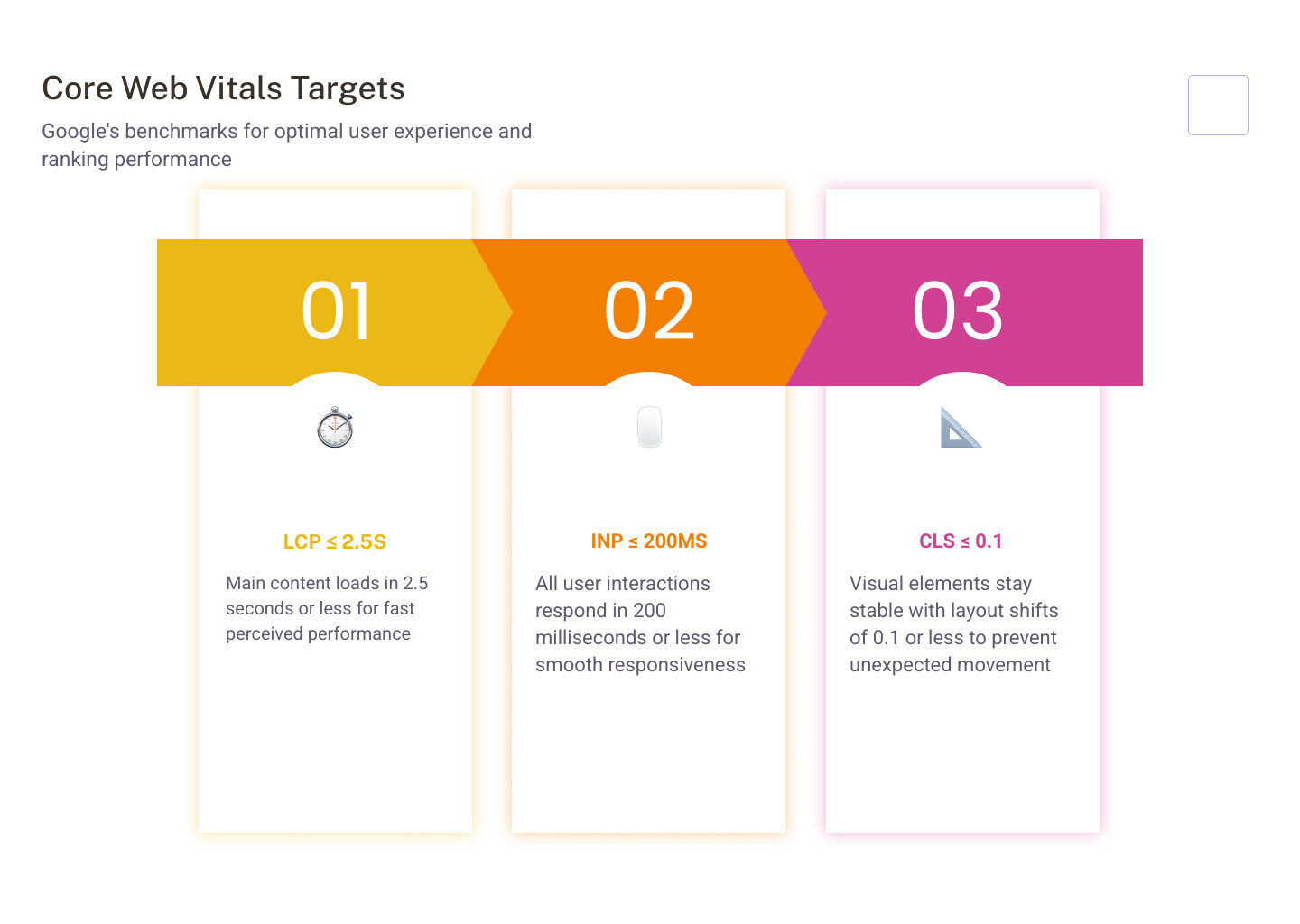
Google’s Core Web Vitals (CWV) are a set of metrics that measure real-world user experience. They aren’t just technical “suggestions”; they are confirmed ranking signals.
- Largest Contentful Paint (LCP): Measures loading performance. How long does it take for the main content to appear? Target: 2.5 seconds or less.
- Cumulative Layout Shift (CLS): Measures visual stability. Do buttons or text jump around while the page loads? Target: 0.1 or less.
- Interaction to Next Paint (INP): Measures responsiveness. How quickly does the page respond when a user clicks a button?
For a mobile-friendly-website/, these metrics are even more critical, as Google primarily uses the mobile version of your site for indexing.
Mastering Interaction to Next Paint (INP)
As of 2024, Interaction to Next Paint (INP) replaced First Input Delay (FID) as a core metric. While FID only measured the first interaction, INP measures all interactions throughout the user’s visit.
A “Good” score is 200 milliseconds or less. If your site feels sluggish or “frozen” while loading heavy scripts, your INP score will suffer. To optimize this, developers must ensure the “main thread” isn’t blocked by long-running JavaScript tasks. You can find more technical details in the official guide for Interaction to Next Paint (INP).
Technical Fixes for Visual Stability
Visual stability (CLS) is often ruined by images without defined dimensions or late-loading fonts. When an image finally loads and pushes the text down, it creates a frustrating experience. Using image-optimization-tools/ to serve correctly sized, compressed images (like WebP or AVIF) can reduce file sizes by 40-80% and help stabilize the layout.
| Metric | Good | Needs Improvement | Poor |
|---|---|---|---|
| LCP | ≤ 2.5s | 2.5s – 4.0s | > 4.0s |
| INP | ≤ 200ms | 200ms – 500ms | > 500ms |
| CLS | ≤ 0.1 | 0.1 – 0.25 | > 0.25 |
Structured Data and AI-Ready Infrastructure
In the age of AI, google technical seo is no longer just about “blue links.” It’s about becoming a data source for AI agents. Structured data (schema markup) uses a standardized language (JSON-LD) to tell Google exactly what your content is—whether it’s a product, a recipe, or a local business in Canton.
One major risk is “Schema Drift.” This happens when your structured data tells Google one thing (e.g., “Price: $50”), but the visible content on the page says another (e.g., “Price: $70”). This mismatch erodes trust and can lead to the loss of rich results.
Preparing for AI Overviews and GPTBot
AI Overviews (AIO) now trigger for approximately 18.57% of commercial queries. To be cited in these answers, your site needs to be accessible to AI retrieval agents.
In your robots.txt, you have choices:
- OAI-SearchBot: Allowing this agent surfaces your content in ChatGPT’s “Search” feature.
- GPTBot: This is used for training future AI models. Some site owners block this to protect their data while still allowing the search-focused agents.
By combining these bot controls with seo-on-page-optimization-techniques/, you ensure your brand is visible in both traditional search and AI-driven answer engines.
Advanced Google Technical SEO for Entities
Google is moving from “strings to things.” It wants to understand the entities behind a website. By using the SameAs schema property, you can link your website to your official social media profiles and Knowledge Graph entries.
For e-commerce, integrating with Merchant Center is now strictly required for many rich results. Interestingly, using HTML definition lists (, ) for product specs makes your content 30-40% more likely to be cited by LLMs because the format is easy for machines to parse. This is a key part of modern on-page-seo-for-website/ strategies.
Essential Tools for a Technical SEO Audit
A successful google technical seo strategy requires the right toolkit. You don’t need a hundred tools, but you do need these essentials:
- Google Search Console: The ultimate source of truth for indexing and crawl errors.
- PageSpeed Insights: Provides both “Lab” and “Field” data for Core Web Vitals.
- Screaming Frog: A powerful crawler that identifies broken links, redirect chains, and duplicate metadata.
- Schema Markup Validator: Ensures your JSON-LD is error-free.
Using professional-seo-tools/ allows you to run regular audits, which is vital because technical issues often creep in as a site grows.
Frequently Asked Questions about Google Technical SEO
What is the difference between crawl budget and index budget?
Crawl budget is how many pages Googlebot is willing to visit on your site. Index budget (or index capacity) is how many of those pages Google actually decides to keep in its searchable database. You might have a high crawl budget but a low index budget if your content is thin or duplicate.
How do I fix “Discovered – currently not indexed” in Search Console?
This status means Google found the URL but decided not to crawl it yet. This is usually a sign of crawl budget issues or a lack of internal link authority. Fix it by improving internal linking to those pages and ensuring you aren’t overwhelming Google with low-quality URLs.
Should I block AI bots like GPTBot in my robots.txt?
It depends on your goals. Blocking GPTBot prevents your content from being used to train models like GPT-5. However, you should generally allow OAI-SearchBot if you want your content to be found and cited in ChatGPT’s “Search” results.
Conclusion
Mastering google technical seo is no longer a “one-and-done” task. It is a continuous process of engineering your website to be fast, accessible, and understandable for both humans and machines. From the basic requirements of a 200 OK status to the complexities of ISR rendering and AI bot governance, the technical health of your site determines the ceiling of your organic success.
MDM Marketing specializes in these data-driven strategies, helping businesses in Canton, OH, and beyond achieve sustainable growth through precise technical implementation. With a methodology that combines deep analysis and transparent reporting, the team ensures that your “SEO house” is built on a rock-solid foundation.
Ready to see how a technical tune-up can impact your ROI? Contact MDM Marketing today for a customized strategy that transforms your online presence.
About admin
This author hasn't written a bio yet.